YOUR CAR SCREEN, UNLOCKED
YouTube, TikTok, IPTV, your own videos and music — and any app on your phone — on the car screen. Plus a speedometer, call alerts and trip statistics. Works over wired or wireless Android Auto, or directly on an Android Box.
THREE WAYS, ONE APP
Install once — the app works out where it is running. Open it without Android Auto connected and CarStream asks which mode you want; touch nothing and it enters Box mode after 6 seconds.
Android Auto
Connect your phone to a car with Android Auto — wired or wireless. Your phone becomes the remote.
Box mode
An Android Box mounted in the car, or a phone not connected to Android Auto. No Android Auto needed — the box is the head unit.
Phone app
History, trip statistics, find your parked car, settings and account sign-in. Five tabs: Control · Watch · Stats · Find car · Settings.
In Box mode and Android Auto connects? The app switches to the controller view; disconnect and it asks again. Both ways are automatic — no restarting the app.
WHAT IT DOES
Mirror your whole phone to the car screen
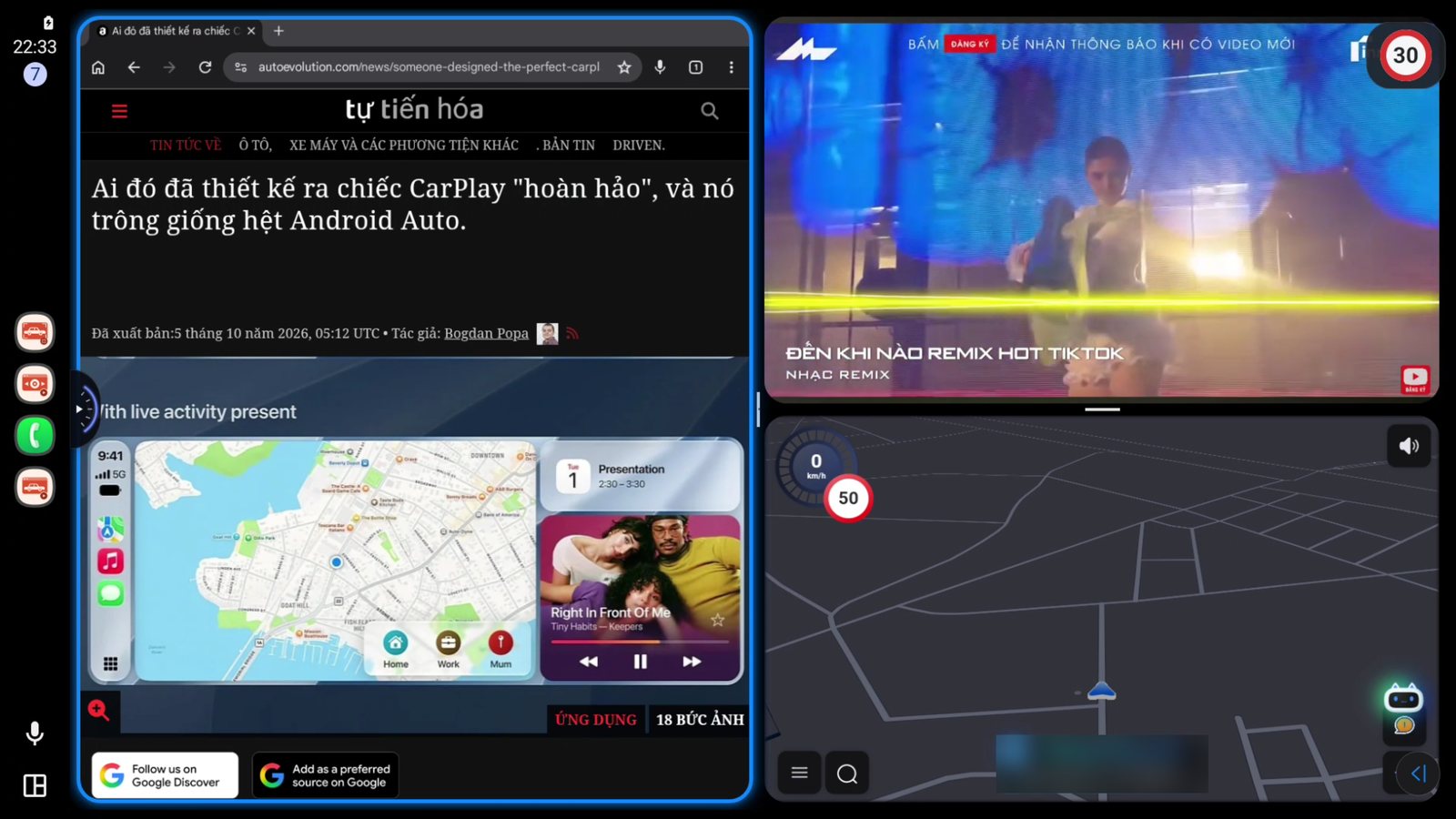
Any app on your phone can run on the car screen, with touch control right there. Split into 2, 3 or 4 windows at once. Needs Android 11 or later; pair once inside the app — no computer required.
Turn-by-turn navigation on the car screen
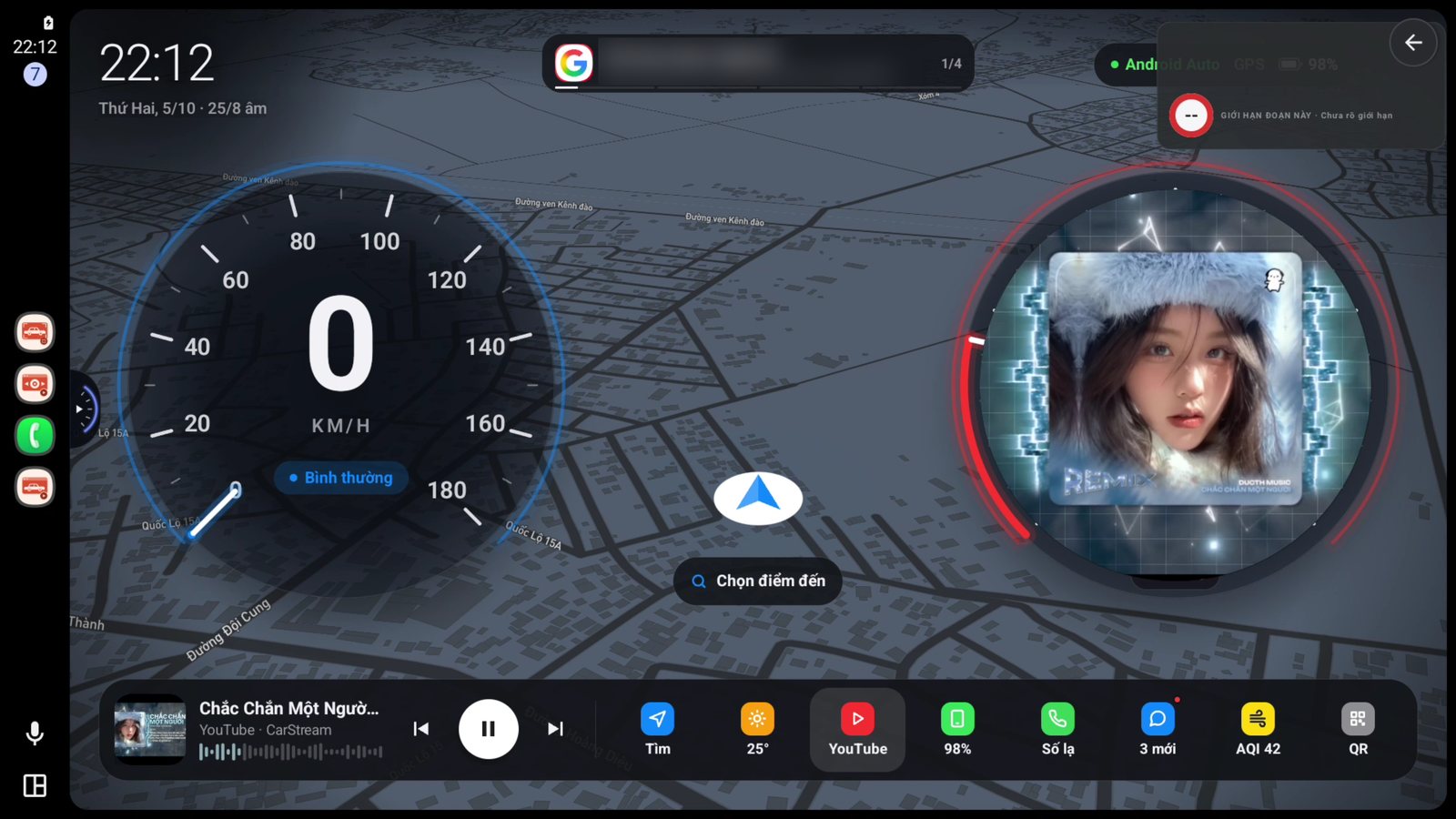
NewSearch by typing or voice, pick one of three routes, and follow step-by-step guidance with a speedometer. Turn arrows and distances also show on the HUD / instrument cluster. In Google Maps on your phone, tap Share → CarStream and the car starts guiding. The Map add-on is sold monthly or yearly.
Seven home styles, full of widgets
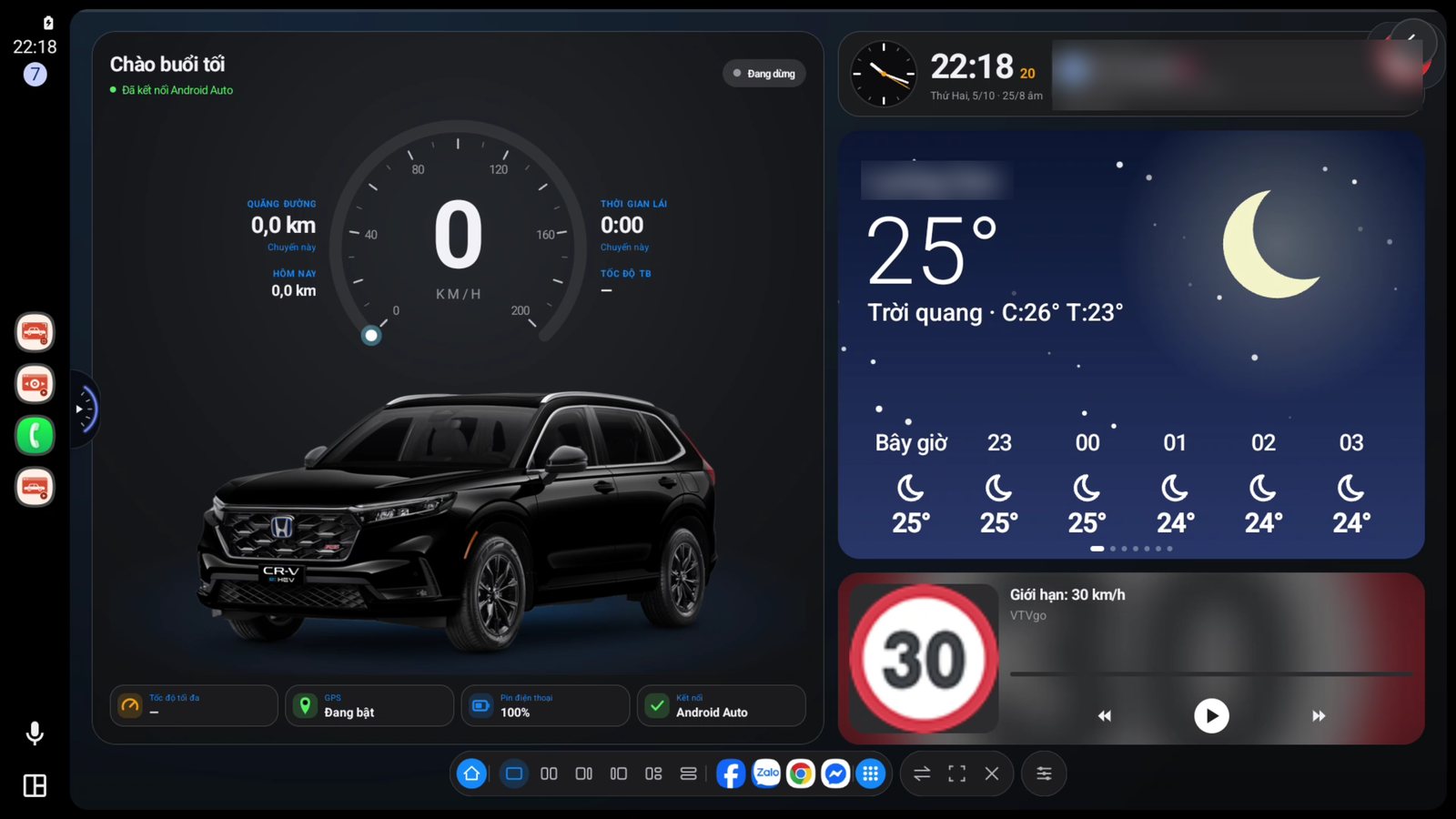
NewKeep watching, Frosted glass, Stage, Map, Floating panel, Bento, Ribbon — pick from real previews and the whole app restyles to match. Swipe through cards: weather, air quality, fuel prices, phone battery and signal, recent calls, messages, and your own payment QR. Videos play right inside the home card.
Every trip, logged
Turn on Record trips and each drive is saved with distance, time, speed and an automatic fuel cost. Routes are drawn on a real map; view by day, week, month or year.
Forgot where you parked? Find car
NewWhen you leave Android Auto the app saves your parking spot — or tap Save spot now. The Find car tab shows a map, the address and a radar arrow pointing to your car.
Something for everyone on the road
Movies, clips and favourite channels on the centre screen. Kids in the back stop complaining and long drives feel shorter — no phone taped to the dashboard.
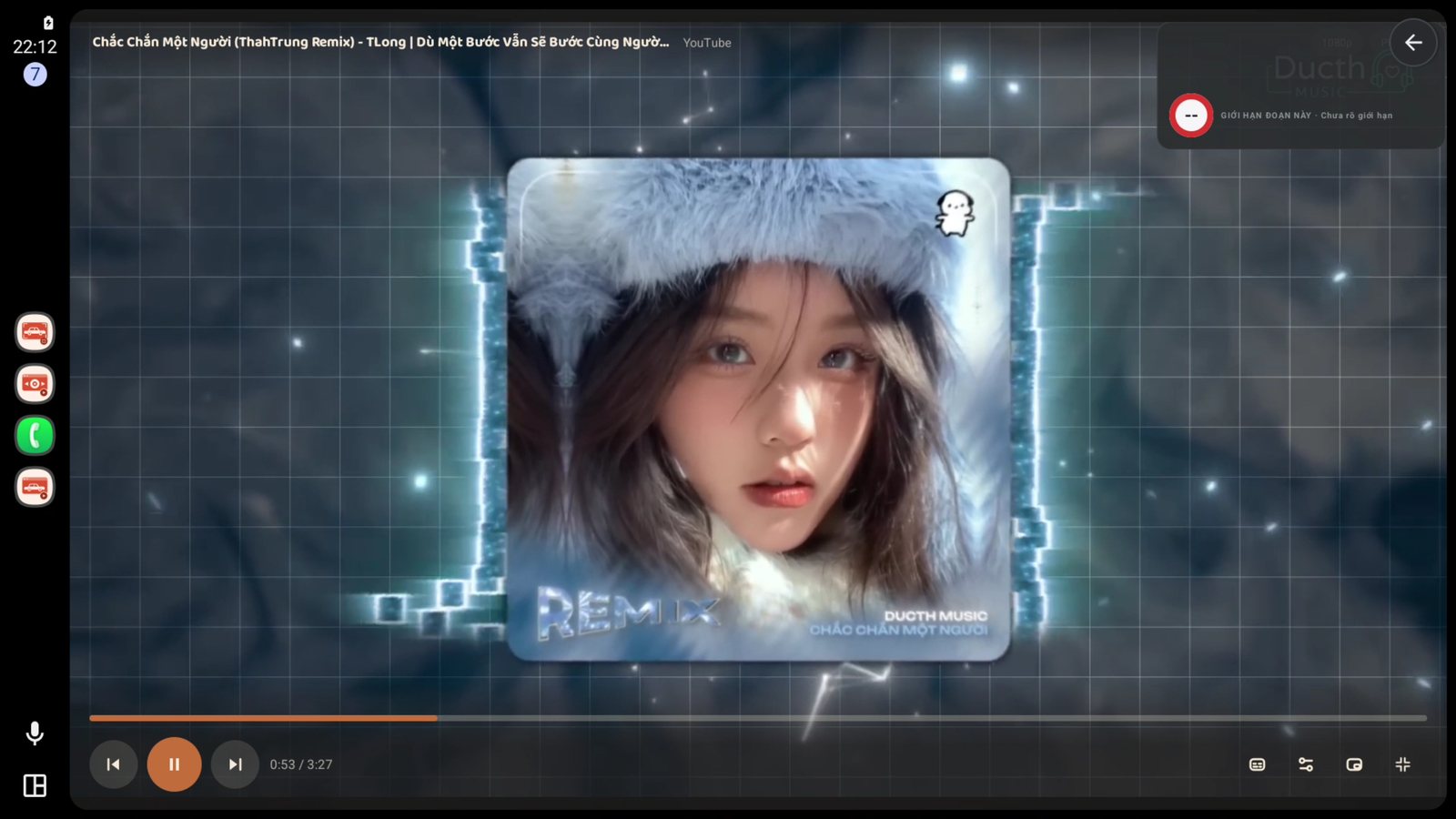
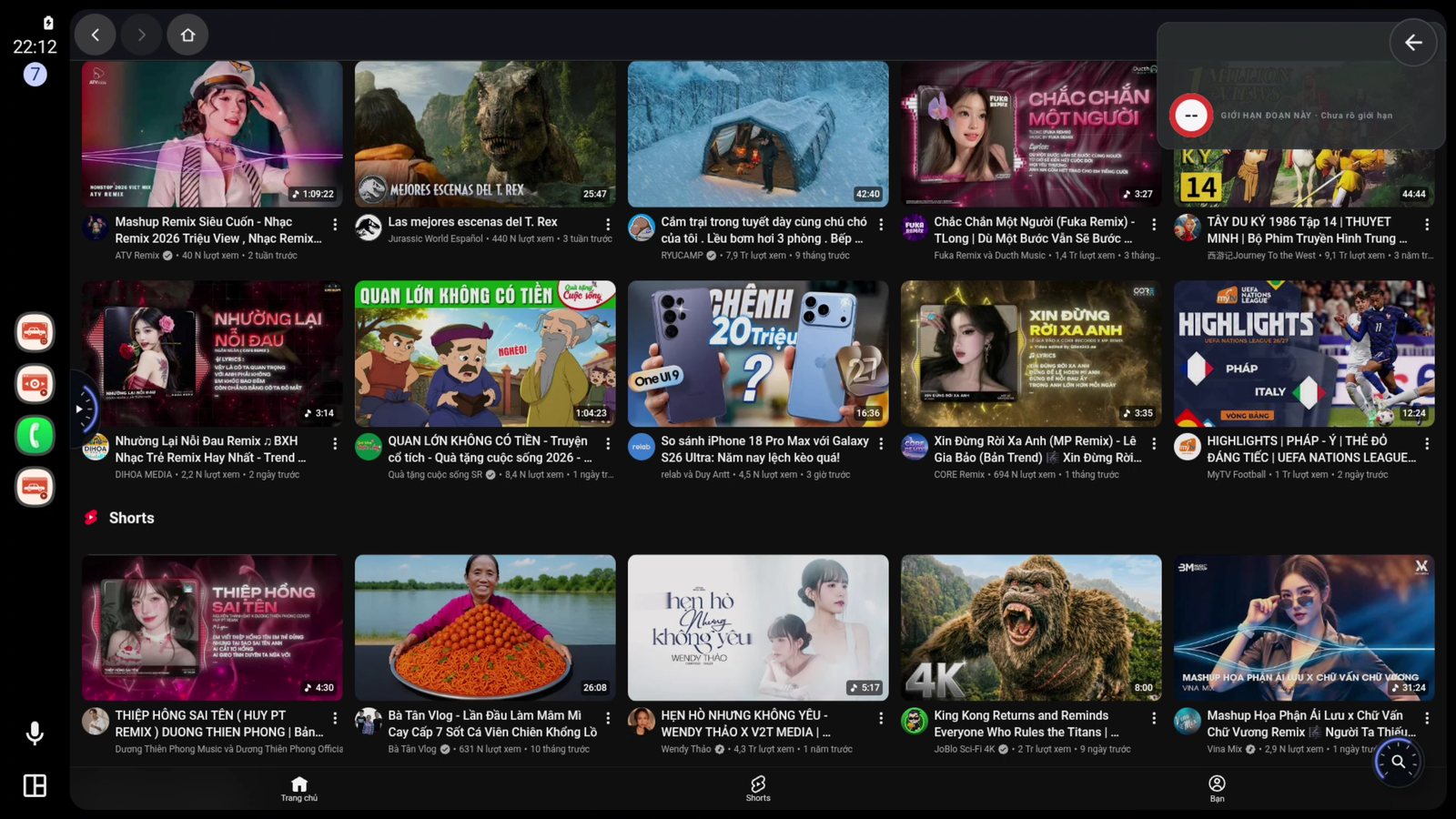
Ad-free YouTube, sponsor segments skipped
Ads are cut before the page loads, including mid-roll — no waiting for “Skip”. Sponsor segments inside videos are skipped too. On TikTok, ad clips still appear.
Music keeps playing when you open Maps
Switch to navigation and the audio carries on — no choosing between music and directions.
Eight sources — show only what you use
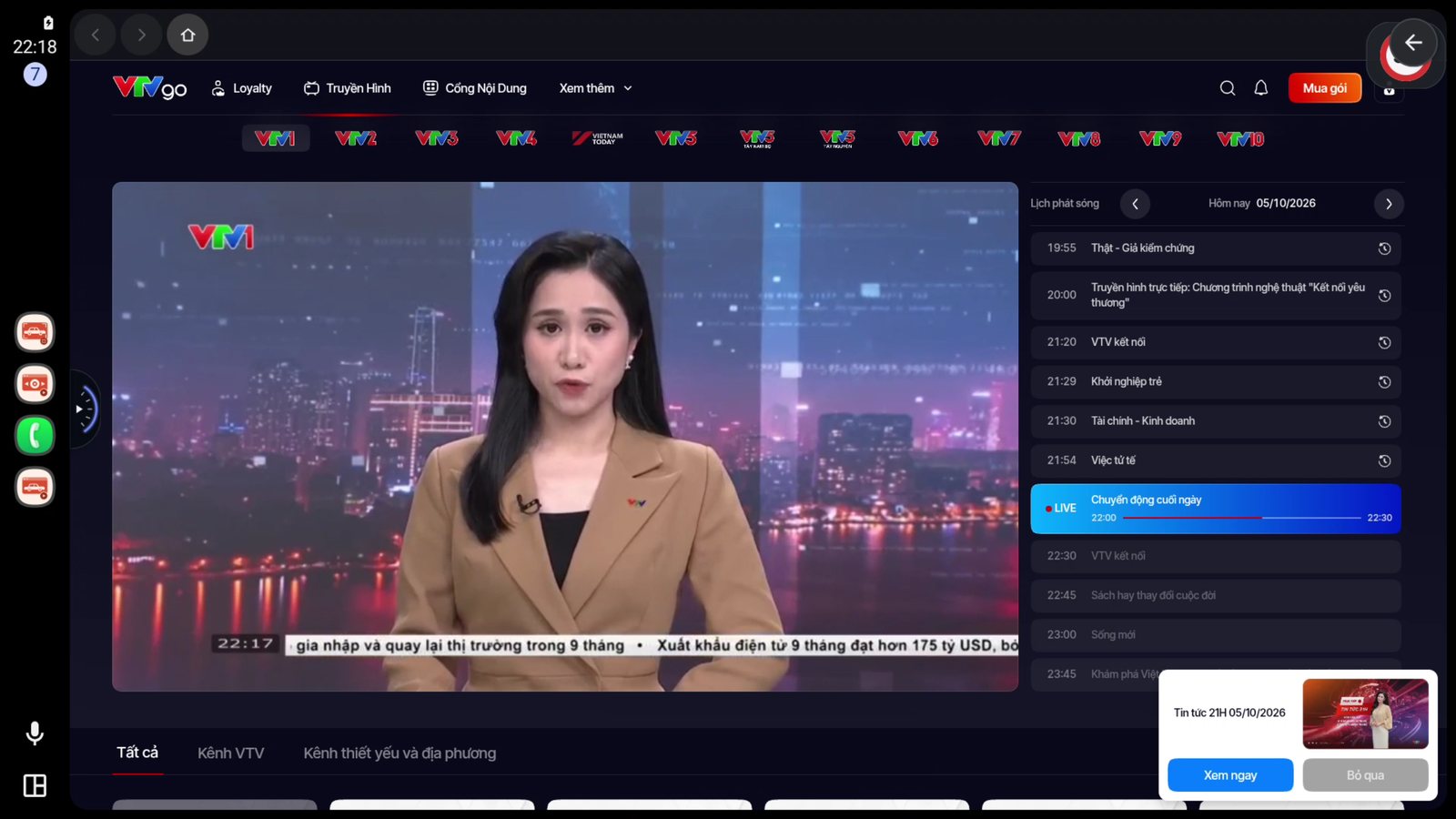
YouTube, TikTok, VTVgo, FPT Play, IPTV (your own M3U list), Phone for local videos and music, games (enable in Settings) and a real web browser. Hide what you don’t use; turning it back on keeps its settings.
Steering wheel, voice and car keyboard
Play, pause and skip with the steering-wheel buttons. Voice search — if your car only has a next button, press it twice to open the mic. Or type with the car’s keyboard.
Rotary knob works too
NewCars with a rotary knob and 4-way pad like Mazda: turn to select, press to open — move through home, Settings, YouTube, VTVgo and the launcher without touching the screen. Hold Back to show or hide the side bar.
Speedometer and speed-limit alerts
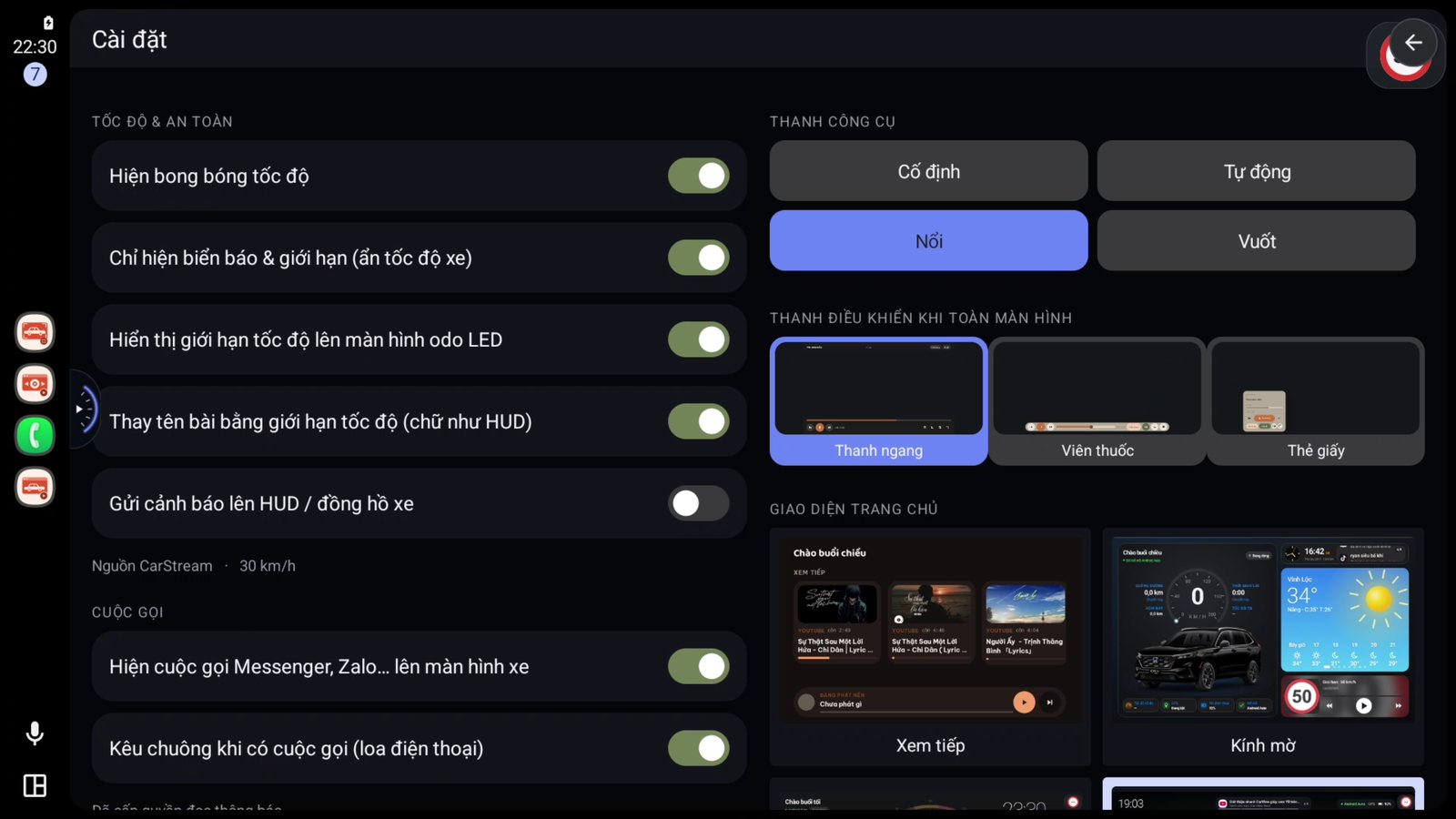
A draggable speed bubble in eight styles. Speed limits come from CarStream itself — no third-party app needed — and VietMap, Gofa, Waze and Wyn are supported too. Can be sent to a HUD or LED odometer display.
Sign in once, use everywhere
Sign in on your phone and the car screen is signed in too — one shared session. Stop halfway on the phone, then tap Keep watching in the car to continue.
One install, three tiles on the car screen
CarStream to browse and watch, CarStream Full for borderless full screen, CarStream Control as the “now playing” tile where steering-wheel buttons and voice go. All three from one install.
Picture tuned to your car screen
Three player-bar styles, crop-to-fill for square screens, data saver for music over 4G — or 2K/4K if your screen is sharp enough. Light/dark follows your phone, or your headlights — lights on, dark mode on.
10-band equaliser
New10 bands from 31 Hz to 16 kHz with 7 presets — tune it on the car screen or the phone to suit your speakers.
Zalo and Messenger calls on the car screen
Watching full screen when someone calls? A bar pops up on the car screen: caller name, hang-up button and an icon showing which speaker the audio uses. No need to pick up the phone.
Choose on the phone, the car follows
The Watch tab on the phone is a real browser — pick something in your hand, turn on Sync to car screen and the car opens the same page.
Vietnamese or English
NewThe whole interface — phone and car — is available in English. Switch in Settings › Language, no reinstall.
REAL, IN THE CAR

IN DETAIL
Each card is one group of features — from navigation, seven home styles and mirroring your phone to content, speed, calls and Box mode. Cards marked New were just added.
Navigation on the car screen
- Search by typing or voice, with recent destinations.
- Three routes to choose from, step-by-step guidance with a speedometer.
- On the HUD / cluster — turn arrow, distance, street name, arrival time.
- Share from Google Maps — tap Share → CarStream and the car starts guiding.
- Changing home style keeps the trip you are on.
The Map add-on is bought separately for 6 months or 1 year — with a key, or on its own for an existing key. Prices on the Buy a key page.
Seven home styles
- Keep watching · Frosted glass · Stage — plus four map styles: Map · Floating panel · Bento · Ribbon.
- Pick from real previews, in the car or on the phone.
- The whole app follows — toolbar, buttons, settings panel and even the phone app change colour to match.
- Widget cards — weather, air quality, fuel prices, phone battery, recent calls, messages, payment QR.
- Video plays inside the card; when nothing is playing it shows four recent videos.
The four map styles need the Map add-on. The default is Keep watching, as before.
Find car, equaliser, language
- Find car — saves your parking spot when you leave Android Auto; a radar arrow points to the car.
- 10-band equaliser (31 Hz–16 kHz) with 7 presets, in the car and on the phone.
- Vietnamese or English for the whole interface.
- 42-step tour that points at each control on first launch — replay it any time.
Find car and the equaliser are turned on in Settings.
Your whole phone on the car screen
- Any app on your phone — tap it in the app grid and it runs on the car screen.
- Split into 2, 3 or 4 panes — drag a window right or up, up to four apps at once.
- Two launcher styles — Classic or Frosted glass, chosen from previews; clock, weather, speed and now-playing card.
- Keep playing in the Launcher — when on, CarStream video and music keep running while you open other apps.
- On-screen keyboard in the car when you tap a text box — no leaning over to the phone.
- Two-finger pinch to zoom, just like on the phone.
- Remembers the layout — reconnect and your windows come back exactly as before.
Needs Android 11 or later. Wireless pairing right in the app with a 6-digit code, once — no computer, no extra apps.
Every trip, logged
- Day · Week · Month · Year — charts always break down one level finer.
- Routes on a real map, zoom and pan; extra − / + / ⟲ buttons in the car.
- Place names at both ends — “Hanoi → Haiphong”; open a trip to see exact addresses.
- Automatic fuel cost — enter consumption and fuel price once.
- Top and lowest speed per trip or for the whole period.
Turn on Record trips in Settings (off by default). Only records while Android Auto is connected — walking or riding a motorbike is not counted.
Eight sources, show what you like
- YouTube — ads blocked, sponsor segments skipped.
- TikTok — short clips, tidied up for the car screen.
- VTVgo · FPT Play — Vietnamese TV, movies and sports.
- IPTV — your own M3U list, quick filter, ★ favourites, reopens the last channel.
- Phone — videos, music and photos on the device, no internet needed.
- A real browser and games while parked (games are enabled in Settings).
Hide sources you don’t use to keep the bar tidy — turning them back on keeps their settings.
Hands stay on the wheel
- Steering-wheel buttons — play, pause, skip.
- Press next twice — opens voice search right away.
- Car keyboard; if the car can’t open one, the app has its own.
- Music doesn’t stop in Maps — audio keeps going.
- Now-playing card shows even when the phone is locked.
- Rotary knob and 4-way pad (Mazda…) — control the whole app without touching the screen.
Speedometer and alerts
- Eight bubble styles — drag to place, adjust size and background opacity.
- Six speed-limit sources — CarStream (no extra app), VietMap, Gofa, Waze, Waze HLP, Wyn.
- Correct direction — on divided roads it won’t take the limit of the opposite side.
- Position it from the phone — for car screens without touch.
- Send to a HUD or LED odometer, four font styles to match your car; while navigating the HUD shows turn arrows too.
Speed comes from the phone’s GPS — nothing to wire into the car.
Zalo and Messenger calls show up
- Floating call bar on the car screen, even in full-screen video.
- Hang up from the car — button on the bar, or swipe away.
- Know which speaker — phone, loudspeaker or the car’s Bluetooth.
- Loud ringtone even when the phone is on silent.
Needs notification access once. Can be turned off in Settings.
Tuned to your car screen
- Goes full screen automatically when a video starts.
- Three player-bar styles — Bar, Pill, Paper card.
- Crop to fill — for square screens, no black borders.
- Data saver or 2K/4K depending on your screen.
- Light/dark follows the phone or your headlights — lights on, dark at once, no glare at night.
No Android Auto required
- The box is the head unit — full screen, touch control.
- Starts with the ignition — if nobody touches it, Box mode starts after 6 seconds.
- Switches both ways when Android Auto connects or disconnects.
- Full settings on the box, no second phone needed.
Sign in once, use everywhere
- One session — sign in on the phone and the car screen is signed in too.
- Shared history — stop halfway on the phone, tap Keep watching in the car.
- Change settings on either side and the other follows instantly.
- The Watch tab on the phone — pick for someone, then push to the car screen.
Five phone tabs: Control · Watch · Stats · Find car · Settings.
ONE PLAN, PAY ONCE
Pay once and you’re done. The key never expires.
Checkout is currently by Vietnamese bank transfer (VietQR). Paying from abroad? Message us on Telegram or email and we’ll sort it out.
WHAT YOU NEED
Check these three things before you buy. Not sure? Message us and we’ll check for you.
Android 8.0 or later
An Android phone, or an Android Box in the car. iPhone is not supported — CarPlay doesn’t allow third-party apps like this on the car screen.
A car with Android Auto — or a Box
Wired or wireless Android Auto both work: if Google Maps shows up when you connect, you’re good. No Android Auto? Use Box mode on an Android Box.
Internet, and one install
4G or Wi-Fi on the phone to stream. Install from Google Play yourself: enter your order code/key + Gmail to unlock the download — no need to message anyone. See the step-by-step guide. If you use a cable, use a good one: bad cables are the most common cause of dropouts.
CarStream opens public YouTube and TikTok content with your own account. The app does not store or redistribute any content.
REFER & EARN
Like CarStream? Recommend it and earn commission on every key sold through you. Free to join, get your own link right away, and track orders and commission yourself.
Become an affiliate Free · no upfront cost · sign up at ctv.carstream.techSign up & get your link
Create an account in a minute and get your personal referral link.
Share it
Send the link to friends, groups and customers — anyone who taps it lands on the key page.
They buy → you earn
When someone buys and pays through your link it’s recorded, and you earn a share of the revenue.